 Home
Home
SketchUp |

|
||
SketchUp - The Perfect Tool for WoodworkersSketchUp is an ideal tool for the woodworker. I wrote a blog post for Popular Woodworking explaining why. You can read SketchUp for Woodworkers - Here's Why by clicking on this link. SketchUp OverviewSketchUp is a 3D sketching, modeling, design and photorealistic rendering tool. For an overview of its capabilities see my American Woodworker post SketchUp Comes To American Woodworker. If you are interested in learning how to use SketchUp I have provided a Beginner's SketchUp Webinar in eight parts, which can be accessed below. That webinar can be followed up with my Intermediate SketchUp Webinar, also below. SketchUp Pre-SchoolThe following four posts are a four part series, that taken together, are a “Pre-School Prepatory Course” designed to prepare students for the Basic SketchUp 2014 for Woodworkers DVD. If you have never heard of SketchUp, don't know where to find it or how to install it, or just want more of the fundamentals before jumping in to modeling, this series is for you. The first part is the overview which you may have read already if you read SketchUp Overview above. Even if you have already installed and used SketchUp you may find some new information in this series.
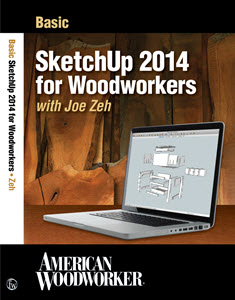
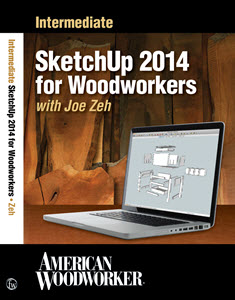
Basic & Intermediate SketchUp 2014 for Woodworkers
In this video the student learns to draw a bedside table with dovetailed drawer with bullnose trim, tapered legs, beveled top and lathe turned drawer pull. After completing the table and drawer model the student adds dimensioned scenes which can be printed to scale as a shop drawing set. The student also learns to texture all pieces with multiple wood grains to produce a photorealistic image for presentation to a potential client, family member or friend. Intermediate SketchUp 2014 for Woodworkers teaches the student to model components (furniture pieces) that have complex curves. In the basic tutorial the student learns to draw rectilinear components or components with simple circle or arc curves. In this Intermediate tutorial the student is introduced to advanced curve making techniques and Bezier and Spline tools for creating those curves.
Basic SketchUp 2014 for Woodworkers DVD IDX Renditioner for Google SketchUpIDX Renditioner is a plug-in offered by IMSI/Design for SketchUp. IDX Renditioner provides photorealistic renderings of SketchUp models. Here are two example renderings of my Cherry Chest Of Drawers model created by IMSI/Design Senior Director William Manning.
Printing To Scale With SketchUp Make & SketchUp Pro 2013I am often asked how you print shop drawings to scale in SketchUp. I have usually answered this question with an email. However, to save work I recently posted a blog detailing how this is done. Click on the title above to access that blog. The Dough Box - Parts 1 Through 4The Dough Box is a four part series of videos that show you how to model a Dough Box of course, but more to the point, how to model tapered and splayed legs and a tapered and splayed box with dovetail joinery.
|

Berkshire Woodworkers

|
 
|


|
Home | Blog | Gallery | Shop Layout | Shop Tour | SketchUp | My Plugins | Free Plans | Contact Feedback | About | Privacy

|